


 Send Inquiry
YAMAHA RX-A6A
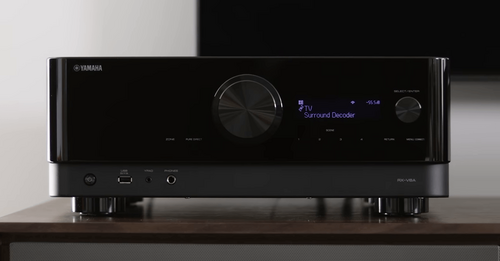
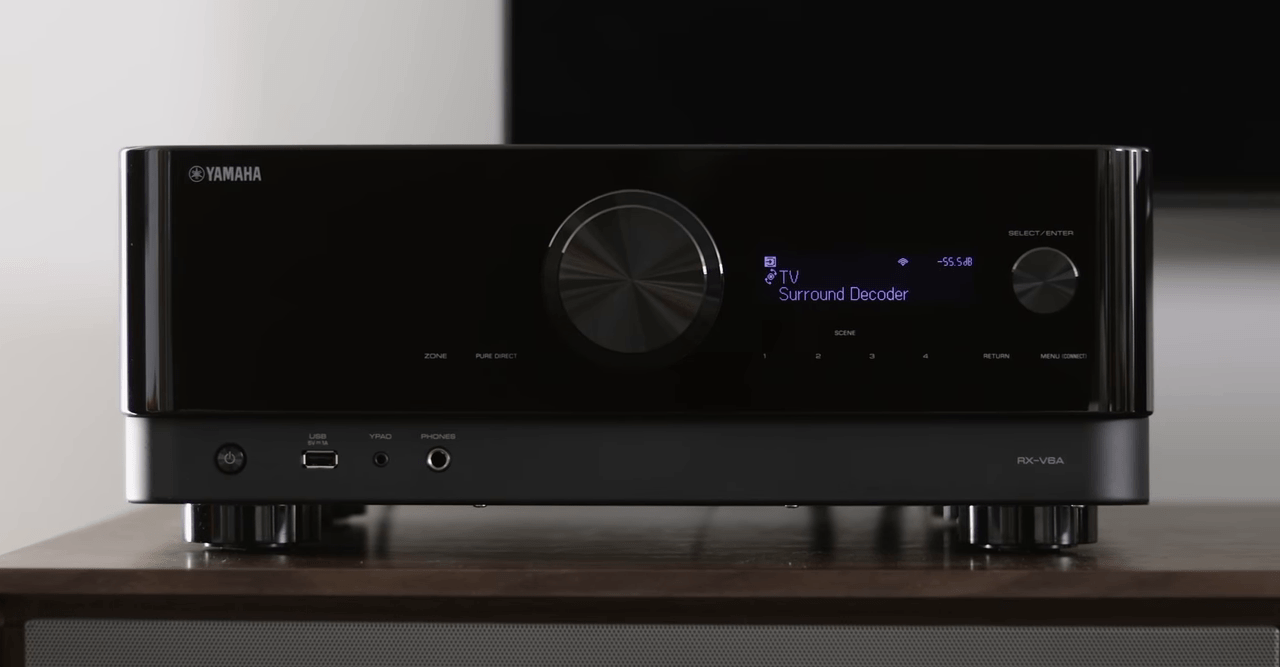

YAMAHA RX-A6A Specification
- Aux Option
- Yes
- Bluetooth
- Yes
- Auto Memory
- Yes
- Player Type
- AV Receiver
- Material
- Metal
- Channels
- 9.2
- Frequency (MHz)
- 50-60
- Control Device
- Remote Control
- FM Turner
- Yes
- USB Port
- Yes
- Display
- LCD
- Progressive Scan
- Yes
- Power
- 150 W
- Weight (kg)
- 20.3
- Color
- Black
- Zone 2 Output
- Yes
- Phono Input
- Yes
- Dolby Atmos
- Supported
- HDMI In/Out
- 7 / 3
- Alexa Voice Control
- Compatible
- Ethernet
- Yes
- 24kHz/192-bit DAC
- Yes
- Dimensions (WxHxD) mm
- 435 x 192 x 477
- Total Harmonic Distortion
- 0.06%
- DTS:X
- Supported
- Wi-Fi
- Yes
- Multi-room Capability
- Yes
- Speaker Impedance
- 4 ohms (minimum)
- AirPlay 2
- Yes
YAMAHA RX-A6A About
- 9.2 Channel powerful surround sound with Zone2
- Dedicated gaming function(ALLM,VRR,QMS,QFT) via FW update
- Voice control with Alexa and Google Assistant devices. *Availability varies by region
- MusicCast Surround capable - add MusicCast 20 or MusicCast 50 speakers to create wireless surround sound
- YPAO R.S.C. (Reflected Sound Control) sound optimisation
Immersive Sound Performance
Experience crystal-clear, enveloping audio with Dolby Atmos and DTS:X support, ensuring your movies and music sound as lifelike as possible. The RX-A6A's rigid construction and advanced DAC technology reduce noise and distortion, delivering pristine sound at 0.06% total harmonic distortion across all channels.
Smart Connectivity & Multi-Room Functionality
Stay connected with built-in Wi-Fi, Bluetooth, AirPlay 2, and Ethernet. Effortlessly stream music throughout your home or control sound in different rooms with Zone 2 output and Multi-room capability. Alexa voice control compatibility adds hands-free convenience to your audio experience.
Versatile Input & Output Options
With 7 HDMI inputs and 3 HDMI outputs, phono input for vinyl, AUX and USB ports, the RX-A6A accommodates a wide range of audio-visual equipment. This flexibility makes setup and switching between devices quick and seamless, tailored for both everyday use and special entertainment occasions.
FAQ's of YAMAHA RX-A6A:
Q: How do I connect the Yamaha RX-A6A to my wireless network?
A: The RX-A6A supports both Wi-Fi and Ethernet connections. You can connect to your wireless network by navigating to the setup menu on the LCD display, selecting 'Network,' and following the prompts to join your preferred Wi-Fi network.Q: What types of audio formats are compatible with the RX-A6A?
A: This AV receiver supports advanced audio formats including Dolby Atmos and DTS:X for immersive sound environments. It also features a 192kHz/24-bit DAC for high-resolution music playback, accommodating most modern formats for both movies and music.Q: When should I use the Zone 2 output function?
A: Zone 2 output is useful when you want to play audio in a different room from your main setup. This function is ideal for creating multi-room soundscapes or providing entertainment in separate areas simultaneously.Q: Where should I place the RX-A6A for optimal performance?
A: Place the RX-A6A on a sturdy, well-ventilated surface, away from direct sunlight and sources of heat. Ensure there is adequate space around the unit for airflow-this helps prevent overheating and maintains optimal performance.Q: What is the process to calibrate speakers with this receiver?
A: The RX-A6A includes on-screen setup assistance and automated calibration features. Simply connect the calibration microphone, follow the step-by-step process on the display, and the receiver will optimize sound settings tailored to your room's acoustics.Q: How can I control the RX-A6A besides the supplied remote?
A: You can control the RX-A6A using the included remote, compatible Alexa voice commands, or the Yamaha MusicCast app on your smartphone or tablet, giving you flexible options for managing your home theater system.Q: What are the benefits of the 9.2-channel setup supported by the RX-A6A?
A: A 9.2-channel configuration allows for more immersive surround sound effects, supporting multiple speaker arrangements including those designed for 3D audio formats. This enhances the depth and realism of both cinematic and musical experiences.
Price:
- 50
- 100
- 200
- 250
- 500
- 1000+

More Products in AV Receiver Category
Marantz Cinema 50
Price 269900.00 INR / Piece
Minimum Order Quantity : 1 Piece
Power : 110W per Channel (8 Ohm, 20Hz20kHz, 2ch driven)
Aux Option : Yes
Color : Black
Weight (kg) : 20 Kilograms (kg)
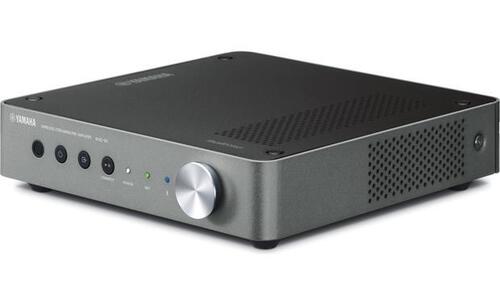
YAMAHA WXA-50
Price 43992.00 INR / Piece
Minimum Order Quantity : 1 Piece
Power : Max 90W per channel (6, 1kHz, 0.9% THD) / 70W per channel (8, 20Hz20kHz, 0.06% THD)
Aux Option : Other, Yes, 1 x 3.5mm stereo minijack
Color : Dark Silver
Weight (kg) : 1.94 kg
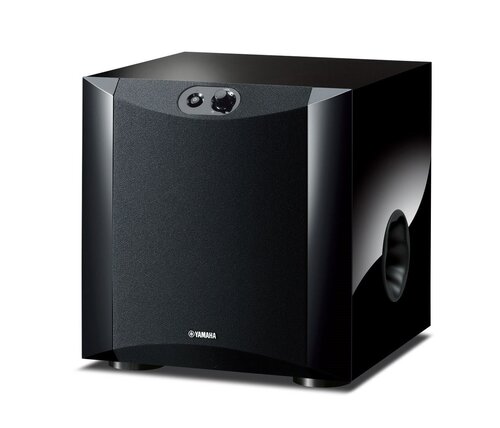
YAMAHA NS SW200
Price 25192.00 INR / Piece
Minimum Order Quantity : 1 Piece
Power : 130 W (Dynamic Power 5 ohms)
Aux Option : No
Color : Black
Weight (kg) : 11.2

Marantz SR6015
Price 187920.00 INR / Piece
Minimum Order Quantity : 1 Piece
Power : 185W Watt (w)
Aux Option : Yes
Color : Black
Weight (kg) : 12.8 kg Kilograms (kg)

Developed and Managed by Infocom Network Private Limited.

